Gorilla Tag Mod Menu – Complete Guide, Features, Installation & Safety Tips

Gorilla Tag Mod Menu – Complete Guide, Installation & Safety Tips
Gorilla Tag has taken the VR gaming world by storm since its release, attracting millions of players with its unique movement mechanics and social gameplay. As the community expands, many players are curious about enhancing their experience through mods. This comprehensive guide explores everything you need to know about Gorilla Tag Mod Menus, including features, installation methods for PC and Quest, safety considerations, anti-cheat systems, and answers to frequently asked questions.
Gorilla Tag Mod Menu
What Exactly Is a Gorilla Tag Mod Menu?
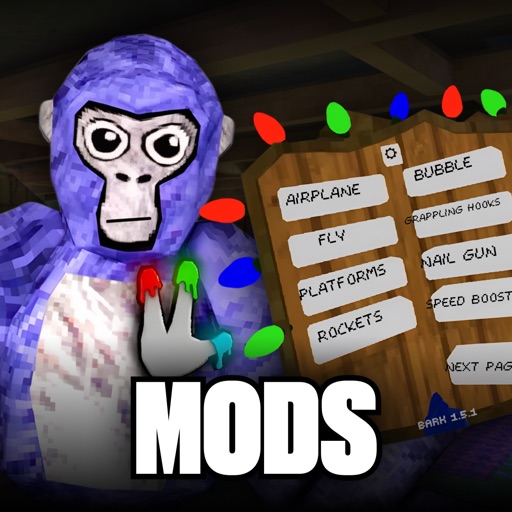
A Gorilla Tag Mod Menu is a third-party modification that injects additional features into the base game. Unlike standard gameplay, mod menus provide players with enhanced controls, visual customization options, and experimental mechanics not available in the official version. These mods typically require external tools like Monke Mod Manager or Utilla to function properly. The modding community for Gorilla Tag has grown substantially, with developers creating everything from simple cosmetic tweaks to complex gameplay overhauls.
Popular mod repositories host hundreds of user-created modifications. The game, developed by Another Axiom, has become a phenomenon in the VR space with its unique arm-based movement system that feels natural and intuitive. Mods allow players to push these mechanics even further, experimenting with speed, gravity, and entirely new ways to navigate the game's environments.
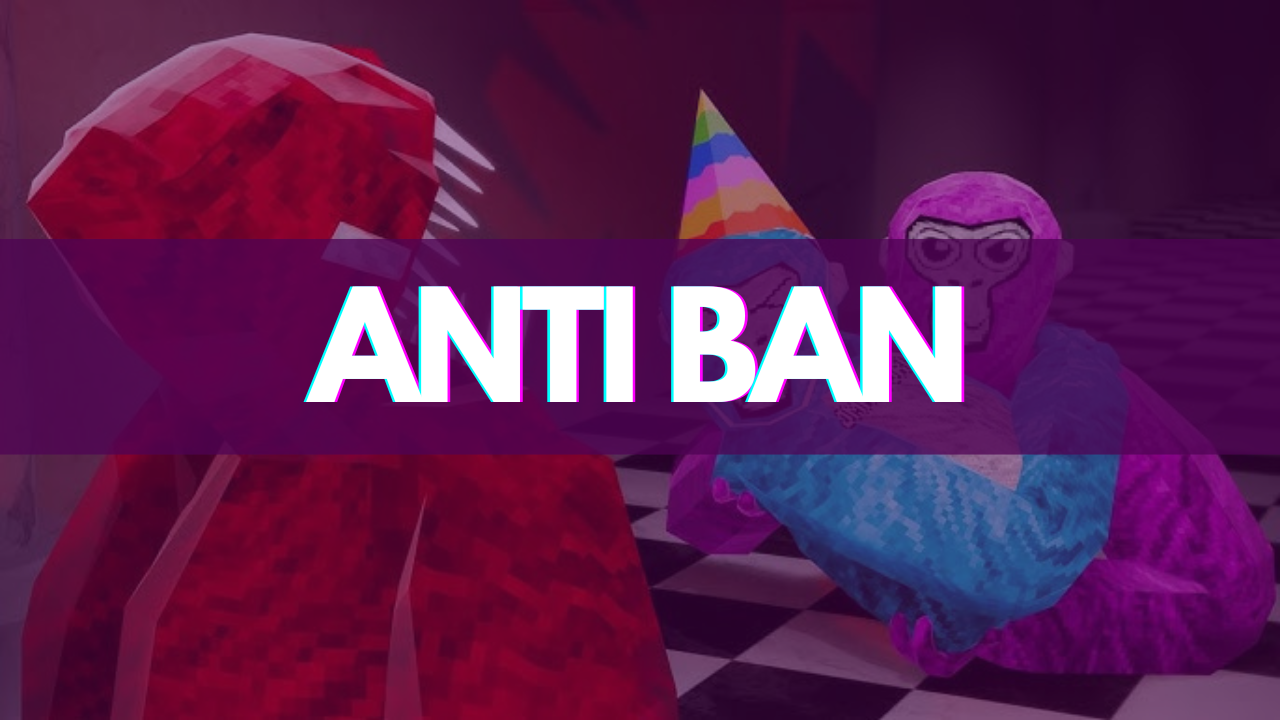
Key Features of Gorilla Tag Mod Menus
Modern Gorilla Tag mod menus offer an impressive array of features that can transform your gameplay experience. Here are the most popular categories:
Movement Enhancements
- Speed modification: Adjust your movement speed from slow-motion to super-fast sprinting
- Jump multiplier: Increase jump height up to 10x for reaching previously inaccessible areas
- Gravity control: Switch between low-gravity moon physics and high-gravity challenges
- Wall-climbing assist: Extended grip time and easier vertical traversal
- Air control: Change direction mid-air for precise platforming
Visual Customization
- Custom colors: Apply any RGB color to your gorilla's hands and body
- Cosmetic preview: Test paid cosmetics before purchasing them in the official store
- Map lighting: Adjust brightness, contrast, and color filters for different maps
- Visual trails: Add particle effects following your movement
- Name tag customization: Change font, color, and size of player names
Gameplay Utilities
- Tag distance indicator: Visual display showing how close other players are
- Private room tools: Advanced lobby management for private servers
- Practice mode: Save positions, rewind time, and practice specific routes
- Ghost players: Record and replay movement patterns for training
- Performance monitors: FPS counters and latency displays
Platform Compatibility & Installation
Gorilla Tag modding support varies significantly by platform. Understanding your platform's capabilities is crucial before attempting any modifications.
- PC VR (Steam): Full mod support with the largest selection of mods and safest environment for modding
- Meta Quest (Standalone): Limited mod support through Frida-based mods, higher ban risk
- PC Desktop (No VR): Experimental mods available, mostly for development testing
- PlayStation VR: No mod support currently available
PC Installation Guide
- Back up your game files: Create a copy of your clean Gorilla Tag installation
- Download trusted tools: Use only reputable mod launchers like Monke Mod Manager from GitHub
- Install mod loader: BepInEx and Utilla are the most common mod loaders for Gorilla Tag
- Select compatible mods: Ensure mods match your game version (check version numbers carefully)
- Test in private lobbies: Always test new mods alone before joining multiplayer sessions
Pro tip: Join the official Gorilla Tag Modding Discord server to stay updated on compatible mods and receive installation help from experienced modders.
Safety Concerns and Ban Risks
The biggest concern with Gorilla Tag mods is account safety. The developers actively monitor for modifications, and using mods in public lobbies can result in bans ranging from temporary suspensions to permanent account termination.
Warning: Using mod menus in public lobbies is strictly prohibited and WILL lead to bans. Only use mods in private rooms or mod-friendly servers.
Beyond ban risks, downloading mods from untrusted sources exposes you to malware. Fake "mod menus" distributed through YouTube videos or sketchy websites often contain viruses designed to steal personal information or compromise your computer.
Essential Safety Guidelines
- Only download mods from trusted sources like GitHub repositories with high stars and active maintenance
- Never run executable files from unknown sources
- Use a secondary account for modded gameplay
- Keep your mods updated – outdated mods often trigger anti-cheat systems
- Read community feedback before installing any new mod
Legal vs Illegal Mods
The Gorilla Tag community distinguishes between two types of mods:
- Legal mods: Camera mods, cosmetic mods, custom shirts – anything that only you can see
- Illegal mods: Cheat menus, long arms, server-sided cosmetic mods – anything visible to players without the mod
What defines an illegal mod is if another player who doesn't have that mod can see your mod. With a cheat menu, standalone players will still see you flying around, making detection inevitable.
Frequently Asked Questions
Final Thoughts
Gorilla Tag mod menus offer an exciting way to extend gameplay and customize your experience. From movement enhancements to visual tweaks, the modding community has created incredible tools that showcase the game's potential. However, with great power comes great responsibility. Always prioritize safety by using trusted sources, avoiding public lobbies, and keeping backups of your clean installation.
Remember that the developers at Another Axiom continue updating the game, which can break mod compatibility. Stay connected with modding communities to receive update notifications and maintain a working mod setup. For the safest experience, consider maintaining separate installations – one for vanilla public gameplay and another for private modded sessions.
The modding community continues to evolve, with new tools and features being developed regularly. Use these tools responsibly in private or modded lobbies, respect the community guidelines, and most importantly, have fun exploring the endless possibilities that Gorilla Tag mods provide.
Related Topics

Clara Markus
Gaming Expert & Tech Enthusiast
Read Next
Summer Saga Download (2026) – APK, Android, PC Guide, Gameplay & Safe Install
Coconut Shake Game – Complete Guide, Pro Tips, Combos & Safe APK Download (2026)